
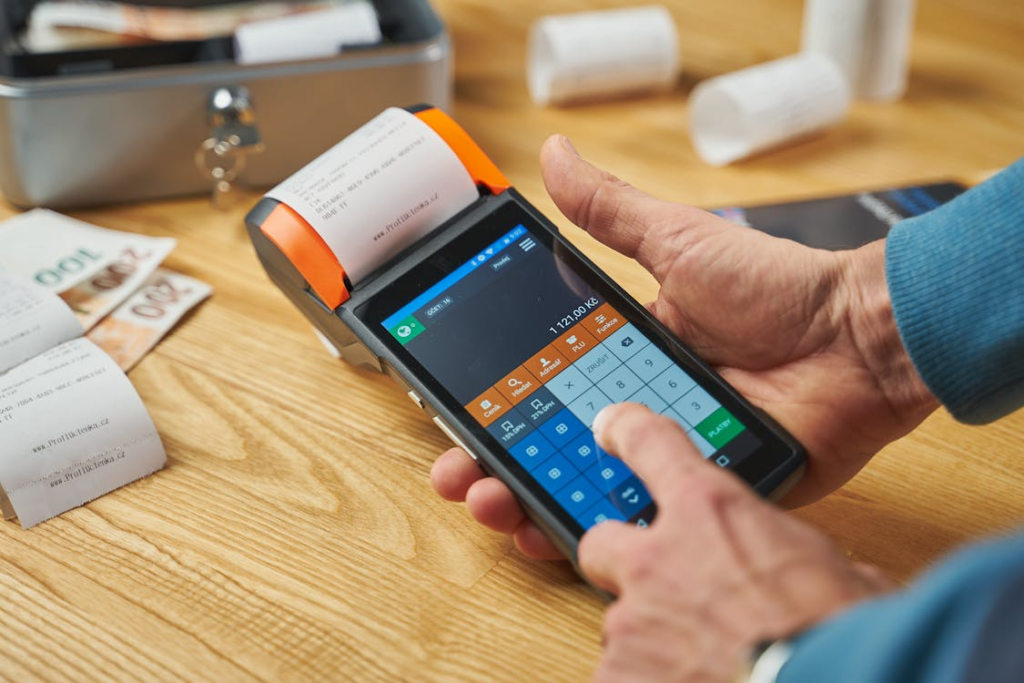
If you think billing management is simple, think again.
Most businesses obsess over sales, marketing, and product. But they forget one thing…
If your invoices are out of order, your entire business will feel the pain. No cashflow. Missing clients. An inbox pile that just keeps growing.
Don’t worry, there’s a solution.
Digital invoicing streamlines your billing process, making everything faster, tidier and much less stressful — even if you’re brand new to it.
Here’s what you need to know.
What You’ll Learn
- What Is Digital Invoicing?
- Why Simple Billing Management Actually Matters
- Core Features You Should Look For
- How to Choose the Right Setup for Your Business
- Common Beginner Mistakes to Avoid
What Is Digital Invoicing?
Digital invoicing allows you to create, send and manage your invoices through software instead of paper or spreadsheets.
You won’t be printing things out and posting them (or copying and pasting into a Word template)… Everything is done online. Invoices send in seconds. Payments are tracked automatically. And all records are kept in one place.
It’s simple. And it’ll make life easier once it’s set up properly.
Why Simple Billing Management Actually Matters
Here’s a little-known fact most newbies don’t know…
Bad invoicing habits are where a lot of businesses lose money. Not from low pricing or failed sales — but through mistakes, missed deadlines and misplaced paperwork.
Late invoices pile up → Cashflow dries up.
Wrong amount charged → Clients get irritated.
Time spent fixing mistakes → Productivity plummets.
Simple billing can stop those problems in their tracks. That’s why digital invoicing continues to grow year after year.
Core Features You Should Look For
Digital invoicing tools come in all shapes and sizes.
When it comes time to choose which setup is right for the business, there are some essential features worth knowing about. Here’s what to look out for:
Automated Invoice Creation
Send invoices that are created completely automatically from start to finish. No typing required. Software pulls the job details > client > rate — and invoices get generated cleanly and sent quickly.
Payment Status Tracking
All invoices should be tracked. Paid, Unpaid, Overdue. Why? So it’s easy to see which invoices are due and which clients aren’t paying on time.
Client Database
A good program keeps all client details in one easy to access location. Receiving addresses, payment history, balance due. This comes in handy when chasing late payments, or keeping the file structure tidy.
Repeat Invoices
Got clients that get billed regularly? Choose a system that lets you automate that process. The software can handle the tedious tasks.
Tax Reporting
Invoices are great for getting paid. But did you know they also play a critical role in staying compliant with tax laws? Make sure the software of choice can generate accurate tax calculations when needed.
Bonus Invoice Feature: Time Tracking
If billing is based on time (or hiring freelancers that do), tracking time can be a total game changer. Utilize software that syncs with the invoicing process for maximum productivity.
How to Choose the Right Setup for Your Business
This is where newbies tend to bite off more than they can chew.
There’s no need for an expensive program packed full of every conceivable feature. In fact, for most small businesses, something as simple as an invoicing program that makes managing billing simple will do the trick.
When comparing features, make sure the tool suits both the size of the business, and the type of work being done. A single freelancer will have very different needs to an operations team that manages dozens of clients monthly. Ask yourself:
- How many invoices will go out monthly?
- Is there a need to send invoices in multiple currencies?
- Is the business already tied to any accounting software?
- How tech savvy are the team members?
Figuring out these questions can help narrow down the final decision.
Here’s Something to Consider…
Companies that still use manual invoicing are left vulnerable to predictable losses. From missed invoices, to manual errors and missed deadlines. Paper invoicing is a headache and digital invoicing is gaining massive popularity for good reason.
48% of small businesses use paper invoices. That’s millions of dollars going towards printing and postage fees that could be better spent elsewhere. On top of that… the average cost to process a single manual invoice is $15. Yes, that high. And if a business sends out more than 10 invoices per month, that cost will quickly skyrocket.
Then there’s accuracy to consider…
Did you know around 39% of manually processed invoices have mistakes? Errors that could cost a business real money and harm its reputation with clients. Not to mention, 11% of invoices are never received by the customer at all. Paper invoices are lost in the mail. Emailed invoices end up in the trash.
Go Digital or Go Home.
Common Beginner Mistakes to Avoid
Making the switch to digital invoicing is easy. But there are some beginner traps that people tend to fall into before getting started.
Failing To Set Up the Tool: It’s important to take time and set up invoicing software properly. That means configuring tax rates, payment settings, and branding elements. Clients will notice if invoices look homemade.
Not Including Payment Terms: Payment terms seem like small print, but they matter. Whether using “Due on Receipt” or “Net 30” — make sure those terms are clearly visible on every invoice. Clients won’t know otherwise when they should pay.
Forgetting to Use Follow-Up Tools: Chasing payments manually is a productivity killer. Digital invoicing tools come complete with automatic payment reminders. If a client is late on payment, let the software send the reminder.
Choosing the Wrong Size: Don’t use a tool meant for multi-million dollar corporations when running a one-person show. Digital invoicing software can range from simple (and free) to incredibly complex. Start with what’s needed now, and upgrade when absolutely necessary.
Final Thoughts: Digital Invoicing for Beginners
Digital invoicing helps small businesses save money, stay organized and improve cashflow. Period.
Simple billing doesn’t have to be difficult. Learn the basics. Understand what’s needed from the software. And use that knowledge to take the billing process to the next level.
Go digital, and there’s no looking back.
Ready to take the guesswork out of invoicing?
Here’s a Simple Billing Checklist:
- Stop worrying about paper invoices and lost data.
- Look for automation wherever possible.
- Track payments with invoices that update automatically.
- Includes tax calculations and legality features.
- And finally, match the tool to both the team and business size.